

The AI layer that guides employees through any software
Adoption Layer reads the live screen and shows employees the next step, inside business software or your own tools. No recorded tours, no training docs to maintain.
One adoption layer. Across your software stack.
Use the browser extension on third-party software and one script tag on the internal applications you own.

Word from the founders
Why we built Adoption Layer
We spent years designing interfaces and high-stakes software systems. Everywhere, the problem was the same: companies invest heavily in software, then write 50-page SOPs and record tutorial videos that nobody remembers. New hires spend weeks ramping up, make avoidable errors, and interrupt senior teammates all day for basic navigation help.
The industry's answers are two dead ends. On one side, rigid walkthrough popups that users dismiss immediately and that break on every update. On the other, the risky push toward black-box AI clicking behind the scenes. In real operations, handing over the steering wheel is a non-starter: people need to stay in control and understand what they are confirming.
Real software mastery only comes from doing the work directly on screen. We built Adoption Layer to guide attention at the exact moment of hesitation: it highlights the right field and shows the next step, while the user keeps their hands on the keyboard. After a few repetitions, the habit is built and the tool is genuinely adopted.
49% of enterprise software spend goes to waste
Powerful software still fails when employees cannot complete the workflow in front of them. Training fades, support becomes human navigation, and paid tools get bypassed.
Work moves outside the system
When employees get stuck, they export to a spreadsheet, finish the task off-platform, and leave the official process incomplete.
Support becomes human GPS
30% to 40% of Tier-1 support volume is basic navigation questions. Specialists lose hours pointing people to standard fields and buttons.
Training does not survive the workflow
47% of digital workers struggle to find features in workplace apps. Static tours are dismissed quickly and break when the interface changes.
Training alone does not drive software adoption.
Recorded tours and long procedures separate learning from the work itself. Adoption Layer reads the live interface and guides each employee through the task in front of them.
No workflows to record
Employees ask for the task they need to complete. Adoption Layer resolves their intent against the interface currently on screen.
Guidance that survives change
When menus, fields, or classes move, the live DOM engine adapts without rebuilding every training path.
Employees stay in control
The assistant highlights the exact next action, but the employee clicks, types, and confirms every step.
Interactive guidance that turns every web app into a self-adopted product




Cover every application. Whether you own the code or not.
One administration layer covers internal applications and third-party enterprise software, without changing the underlying systems.
One-Line Script
Add one tag to an internal portal, back office, or custom business application. Guidance reads the live DOM without backend integration.
Enterprise Browser Extension
Guide employees inside Salesforce, SAP, Workday, ServiceNow, or any approved web application without touching vendor code.
We read the interface, never your data
No screenshots. No page content. Adoption Layer reads interface structure, masks personal data before it leaves the browser, and runs entirely in the EU.
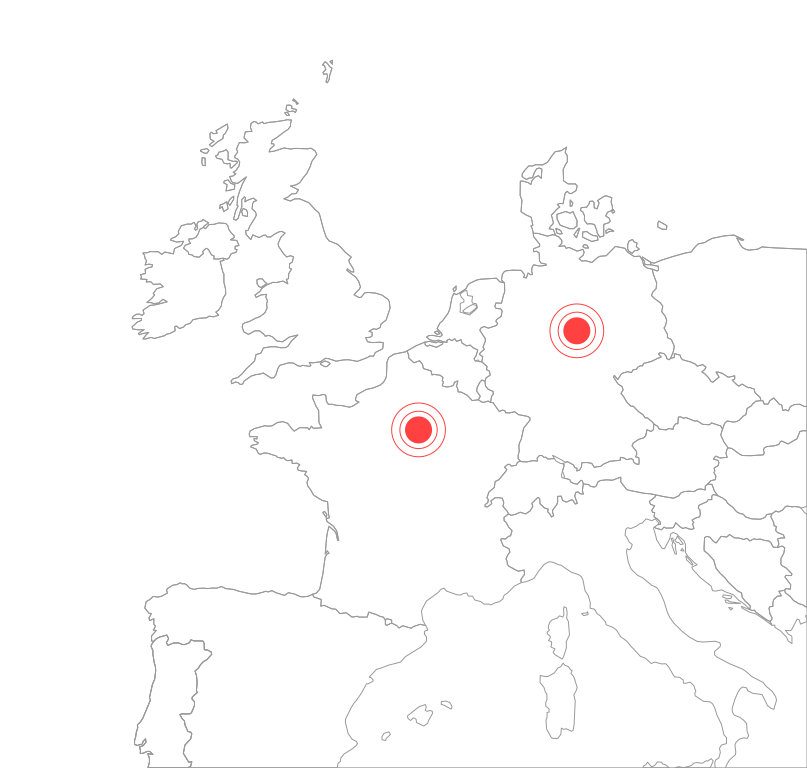
AI hosted in France
Vertex AI, Paris region. Application servers in Germany. Nothing leaves the EU, contractually.
Masking you control
PII is stripped in the browser. Mark additional sensitive zones from your dashboard. Structure is preserved, content is not.
Locked to your domains
The extension is inert outside the applications you declare. Your IT team controls the list.
Deployed on your terms
Centrally deployed across your fleet by IT, or activated by teams in one click.
Prove value with one scoped pilot
Start with one application, a defined employee group, and a few high-friction workflows. Measure impact before expanding.
Faster time to proficiency
Track how quickly employees complete priority workflows without leaving the application to search for help.
Fewer navigation tickets
Measure repetitive requests resolved directly on screen instead of entering internal support queues.
Deeper feature adoption
See whether employees discover and complete advanced or newly released workflows when they need them.
Frequently asked questions
Deployment, security, and pilot answers for enterprise teams
Does Adoption Layer work on software we do not control?
How long does a pilot rollout take?
What data leaves the browser?
Can the AI invent or execute the wrong action?
Do we need to record every workflow or import documentation first?
What happens when the interface changes?
How do we deploy the extension to a workforce?
Make one critical workflow easier this week
Tell us which application, employee group, and task create the most friction. We’ll prepare the demo around that real workflow.
Prepared demo · Unlimited employees · EU hosted · Extension or one-line script