

The right prompt in the right place, the moment users hesitate.
Trigger contextual hints based on URL, idle time, or on-screen DOM state. Replace forgotten training sessions and intrusive popups with clear, in-flow guidance.
Continuous contextual presence. Across your internal tools and core business SaaS.
Deploy proactive hints across Salesforce, SAP, Workday, ServiceNow, Jira, as well as your custom in-house web portals.
Data entry errors and hesitation cost teams valuable hours.
An employee mistypes an entry in SAP, an account rep misses a required field in Salesforce, or a new user lands on an empty dashboard without knowing where to begin. Complex business procedures are easy to forget without in-context guidance.
Sending reminder emails or scheduling refresher training rarely prevents in-the-moment errors. A subtle contextual hint delivered at the point of action guides users without disrupting their flow.
Errors made before they can be prevented
A forgotten business rule leads to rejected tickets, back-and-forth support friction, and delayed approvals.
The empty screen hesitation
Faced with an empty dashboard or an unconfigured module, employees stall and drop off without a clear first action.
Mechanical dismissal of blocking popups
Intrusive modal windows obscure actual work. Users close them immediately out of habit without reading.
Trigger help only when assistance is truly needed
Combine surgical trigger conditions to intervene in the right place at the right moment, without cluttering the screen.
URL and path route triggers
Target a specific screen, an entire sub-path tree, or explicit query parameters. The hint is ready as soon as the user navigates there.
Inactivity detection and timing delay
Trigger after a fixed delay or as soon as a user stops navigating for a set number of seconds, signaling operational hesitation.
DOM screen state and element visibility
Condition delivery on whether a specific button, empty container, or warning alert is visible in the viewport, without modifying host code.
“One hint per context. Zero focus theft. No unsolicited AI requests.”
Users remain in total control of their screen. The hint suggests immediate intents and only queries the LLM upon deliberate user action.
Three concrete enterprise use cases
From onboarding new employees to securing high-stakes compliance workflows.
Empty dashboard onboarding
Offer a step-by-step setup walkthrough the moment an employee or customer opens a clean workspace. Remove blank canvas hesitation.
Critical form entry guidance
Highlight required formats, approval thresholds, and mandatory attachments on complex administrative or financial workflows.
New feature and process rollout
Walk users through updated interfaces and new standard operating procedures as soon as they log in, without lengthy webinars.
One engine. Two deployment modes.
Your proactive hints run everywhere your teams work, with consistent enterprise governance.
On internal tools & web portals
Embed a single script tag into your internal applications (React, Vue, Angular, Ruby on Rails). Configure and deploy hints from your dashboard without redeploying code.
On third-party SaaS & enterprise platforms
Deploy the enterprise extension via MDM (Google Workspace, Intune) to guide teams on Salesforce Lightning, SAP Fiori, Workday, and ServiceNow without source access.
Built for enterprise discretion and compliance
Engineered to respect employee focus and meet the strictest European data privacy standards.
Zero focus theft
The widget opens smoothly without hijacking the keyboard focus or interrupting typing. The user keeps working uninterrupted.
Zero unsolicited AI tokens
Hint rendering is 100% deterministic and local. No LLM tokens are consumed until the user explicitly clicks an intent or asks a question.
Local PII redaction & EU hosting
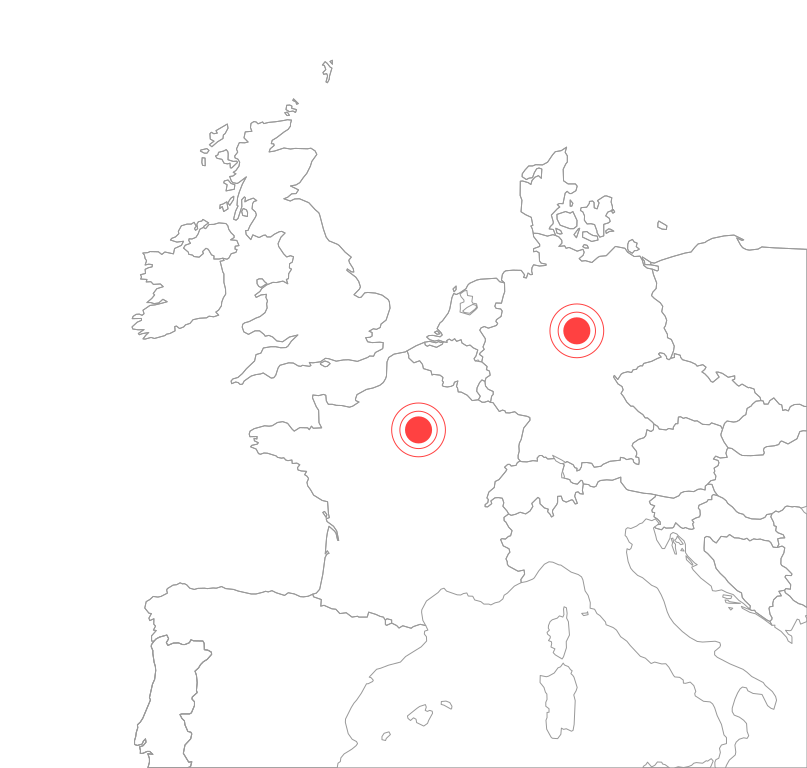
Sensitive values are scrubbed directly in the browser. AI inference and data infrastructure run exclusively in France and Germany.
Conflict-free arbitration
The engine guarantees only one hint opens per page session, prioritizing the most specific URL rule. No competing popups ever stack.
Frequently asked questions
Everything you need to know about proactive hints configuration, quiet delivery, and enterprise controls.
How do proactive hints prevent overwhelming the user experience?
How does arbitration work if multiple rules target the same screen?
Does displaying a hint consume AI interaction credits?
What happens when a user dismisses a proactive hint?
Can hints target dynamic conditions such as error banners?
How do you track the performance and adoption of proactive hints?
A complete digital adoption platform
Proactive hints work seamlessly alongside interactive DOM guidance, friction analytics, and human support escalation.
Guide your teams before bottlenecks take hold.
Show us a high-friction screen or critical business form in your tools and let us build a tailored proactive hint.
Fast setup · No long-term lock-in · 100% EU hosted