

Guide users directly in any software. Without recording a single walkthrough.
Adoption Layer inspects page structure in real time, understands user intent, and highlights the exact element to use. Deploy via a single script line on your internal tools, or via enterprise extension across third-party SaaS like Salesforce, SAP, and Workday.
Static documentation gets ignored. Traditional product tours break on every release.
Manually creating CSS-selector-based walkthroughs traps engineering and product teams in endless maintenance debt, while users keep abandoning workflows.
Rigid, time-consuming tour creation
Legacy DAPs force teams to record every click and maintain hundreds of fragile CSS selectors. The moment an engineer refactors a component, the entire walkthrough collapses.
Walkthroughs that break on every UI release
The slightest CSS class rename or DOM refactoring disconnects tooltips, leaving users stranded with broken, misaligned popups.
Intrusive popups that users dismiss immediately
Modal overlays block real work. Annoyed users close them in two seconds flat without retaining any operational knowledge.
From user intent to completed action on screen
User asks in natural language
'How do I create a new deal?', 'Where do I export quarterly numbers?' Users ask directly from the screen where they work.
AI inspects the live DOM
Adoption Layer analyzes visible interactive elements (buttons, inputs, tabs) and matches intent against your connected knowledge without pre-recorded scripts.
Targeted highlighting and step validation
The assistant highlights the exact element with a subtle beacon. Once the action is performed, the interface updates and the next step appears automatically.
One guidance engine. Two deployment paths.
Whether you need to guide employees across third-party SaaS or have full control over your internal web tools.
On your internal tools & proprietary web apps
Embed a single script tag into your internal web applications and custom portals (React, Vue, Angular, Rails). The assistant loads asynchronously without performance impact and inspects the live DOM automatically.
Across third-party SaaS & enterprise software
Roll out the enterprise extension via MDM (Google Workspace, Intune) to guide teams through Salesforce Lightning, SAP Fiori, Workday, ServiceNow, and any third-party SaaS without touching vendor code.
A concrete solution for every adoption challenge
Dramatically reduce friction across critical software, whether your teams are onboarding or navigating complex daily operations.
Accelerated employee onboarding on enterprise tools
Slash onboarding time by 60% across Salesforce, SAP, or internal tools. New hires become fully self-sufficient from day one without disrupting senior colleagues.
Safeguarding critical business workflows
Guide users step-by-step through complex purchase approvals, HR filings, or billing configurations. Eliminate compliance errors and incomplete submissions.
Change management during software migrations
Deploying a major UI redesign or migrating to a new CRM? Live guidance immediately bridges the usability gap directly on the new interface without classroom training.
Why modern teams choose Adoption Layer
An objective comparison against traditional digital adoption platforms.
 Adoption Layer
In-browser DOM isolation & local data masking
Enterprise privacy engineered from day one for banking, healthcare, and security-critical workflows.
Zero screen recording
Adoption Layer captures zero video streams or screenshots. Only structural HTML tags and accessible ARIA attributes are inspected to resolve targets.
Client-side PII redaction
Field values, passwords, IBANs, and personal records are sanitized locally in the browser before any network transmission.
Sovereign EU infrastructure
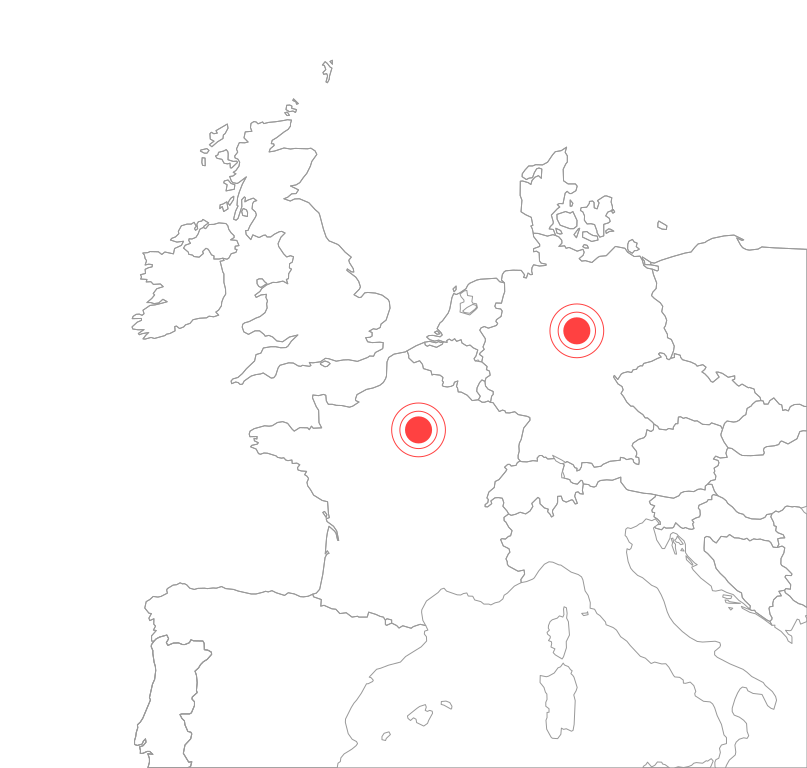
AI inference operates in the Paris region (France) and application infrastructure runs in Germany, in full compliance with GDPR mandates.
Strict domain allowlisting
Your IT organization controls the exact list of authorized URLs. The extension remains inert and inactive everywhere else.
Frequently Asked Questions
Everything you need to know about how live interactive guidance works and stays secure.
How does the AI locate the right element without pre-recorded paths?
What happens when our developers refactor the UI or change CSS classes?
Does the AI click or fill out forms automatically?
Can we guide users on internal enterprise software without codebase access?
Which documentation sources can we connect?
How is company-confidential data protected?
A complete digital adoption platform
Live in-app guidance pairs with proactive hints, process analytics, and smart human escalation.
Ready to accelerate software adoption across your organization?
Show us a complex workflow in your internal tools or third-party SaaS. We will set up a live demo on your actual interface.
Fast setup · No long-term lock-in · 100% EU hosted