

Guidez vos utilisateurs dans n'importe quel logiciel. Sans jamais enregistrer de tour guidé.
Adoption Layer analyse la structure de vos pages en temps réel, comprend l'intention de l'utilisateur et met en valeur l'élément exact à utiliser. Déployez par une simple ligne de script sur vos outils internes, ou via notre extension d'entreprise sur vos SaaS tiers comme Salesforce, SAP et Workday.
La documentation est ignorée. Les tours guidés traditionnels cassent à chaque mise à jour.
Créer manuellement des parcours basés sur des sélecteurs CSS enferme les équipes produit et tech dans une maintenance sans fin, pendant que les utilisateurs continuent d'abandonner leurs démarches.
Des tours guidés rigides et chronophages
Les DAP traditionnelles forcent les équipes à enregistrer chaque clic et à maintenir des centaines de sélecteurs CSS fragiles. Dès qu'un ingénieur refactorise un composant, tout le tour guidé s'effondre.
Des parcours qui cassent à chaque release d'interface
Le moindre renommage de classe CSS ou refonte du DOM déconnecte les infobulles, laissant les utilisateurs seuls face à des bulles décalées ou cassées.
Des popups intrusives que les utilisateurs ferment aussitôt
Les modales bloquent le travail réel. Les utilisateurs agacés les ferment en deux secondes chrono sans rien retenir.
De l'intention utilisateur à l'action validée à l'écran
L'utilisateur s'exprime en langage naturel
« Comment créer une nouvelle opportunité ? », « Où exporter les chiffres du trimestre ? » Les utilisateurs demandent directement depuis l'écran où ils travaillent.
L'IA analyse le DOM en direct
Adoption Layer analyse les éléments interactifs visibles (boutons, champs, onglets) et fait correspondre l'intention avec vos connaissances connectées, sans aucun script préenregistré.
Mise en valeur ciblée et validation de l'étape
L'assistant met en valeur l'élément exact avec un halo discret. Dès que l'action est réalisée, l'interface avance et l'étape suivante s'affiche automatiquement.
Un moteur de guidage unique. Deux modes de déploiement.
Que vous deviez guider vos collaborateurs sur des SaaS tiers ou sur vos outils internes développés en propre.
Sur vos outils internes & applications web métier
Intégrez une simple balise de script dans vos applications web internes et portails sur mesure (React, Vue, Angular, Rails). L'assistant se charge de manière asynchrone sans impact de performance et inspecte le DOM en direct.
Sur l'ensemble de vos SaaS tiers & logiciels d'entreprise
Déployez l'extension d'entreprise via votre MDM (Google Workspace, Intune) pour guider vos équipes sur Salesforce Lightning, SAP Fiori, Workday, ServiceNow et tout SaaS tiers sans toucher au code de l'éditeur.
Une réponse concrète pour chaque défi d'adoption
Réduisez drastiquement la friction sur vos logiciels critiques, que vos équipes soient en phase d'onboarding ou dans leurs opérations quotidiennes.
Onboarding accéléré des collaborateurs sur les outils d'entreprise
Réduisez le temps d'onboarding de 60 % sur Salesforce, SAP ou vos outils internes. Les nouvelles recrues deviennent autonomes dès le premier jour sans mobiliser leurs collègues seniors.
Sécurisation des workflows métier critiques
Guidez les collaborateurs pas à pas dans les validations d'achats complexes, déclarations RH ou paramétrages de facturation. Éliminez les erreurs de conformité et les formulaires incomplets.
Conduite du changement lors des migrations logicielles
Vous déployez une refonte majeure d'interface ou migrez vers un nouvel ERP ? Le guidage en direct comble immédiatement l'écart d'usage directement sur la nouvelle interface, sans formation en salle.
Pourquoi les équipes modernes choisissent Adoption Layer
Une comparaison objective face aux plateformes d'adoption traditionnelles.
 Adoption Layer
Isolation du DOM & masquage des données dans le navigateur
Une confidentialité de niveau entreprise conçue dès le premier jour pour les environnements bancaires, de santé et les opérations critiques.
Zéro capture d'écran
Adoption Layer ne capture aucun flux vidéo ni screenshot. Seule l'arborescence des balises HTML et les attributs d'accessibilité ARIA sont analysés pour identifier les cibles.
Anonymisation locale des données sensibles
Les valeurs de champs, mots de passe, IBANs et données personnelles sont expurgés localement dans le navigateur avant toute transmission réseau.
Infrastructure souveraine dans l'UE
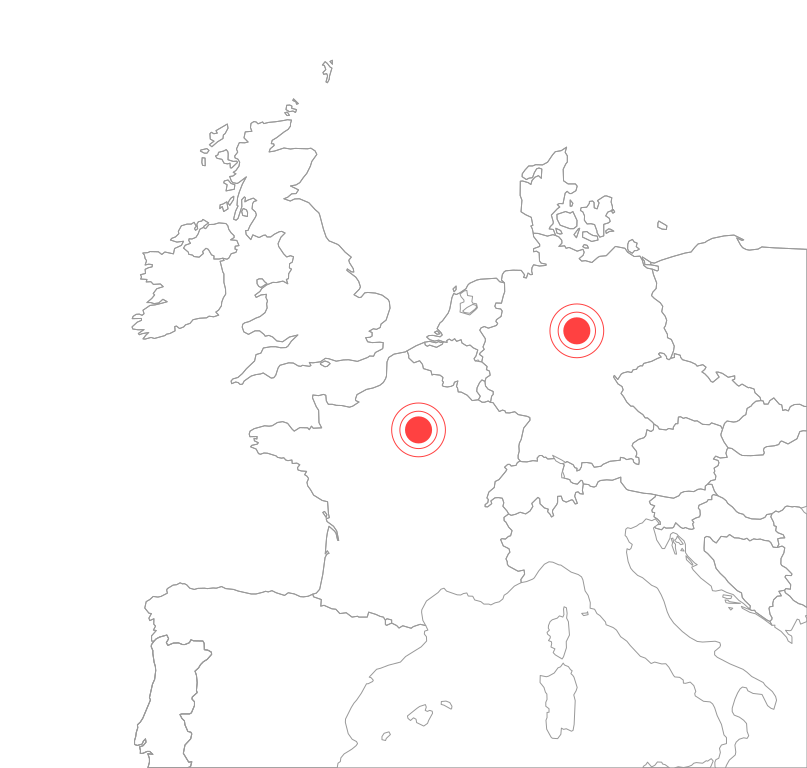
L'inférence IA s'exécute en région parisienne (France) et l'infrastructure applicative tourne en Allemagne, en totale conformité RGPD.
Confinement strict aux domaines autorisés
Votre DSI contrôle la liste exacte des URL autorisées. L'extension reste totalement inerte partout ailleurs.
Questions fréquentes
Tout ce que vous devez savoir sur le fonctionnement et la sécurité du guidage interactif en direct.
Comment l'IA localise-t-elle le bon élément sans parcours préenregistré ?
Que se passe-t-il lorsque nos développeurs refactorisent l'UI ou changent les classes CSS ?
L'IA clique-t-elle ou remplit-elle les formulaires automatiquement ?
Peut-on guider les utilisateurs sur des logiciels internes sans accès au code source ?
Quelles sources de documentation peut-on connecter ?
Comment les données confidentielles de mon entreprise sont-elles protégées ?
Une plateforme d'adoption digitale complète
Le guidage interactif s'associe aux suggestions proactives, aux analyses de friction et au relais humain.
Conseils proactifs
Affichez des repères contextuels avant que les utilisateurs n'hésitent ou fassent des erreurs.
Analyses d'adoption
Transformez les questions posées en améliorations de processus et de logiciels.
Escalade intelligente
Transmettez les cas complexes à votre helpdesk ou chat avec l'historique d'écran complet.
Prêt à accélérer l'adoption logicielle au sein de votre organisation ?
Montrez-nous un workflow complexe dans vos outils internes ou vos SaaS tiers. Nous préparons une démo en direct sur votre interface réelle.
Mise en place rapide · Sans engagement · 100 % hébergé dans l'UE